Controller / Joystick / HOTAS Key Customization
by Jamon Holmgren
I made a new screen for customizing keys/buttons/axes for keyboard, mouse, joystick, gamepad, HOTAS, you name it.
- Rebind any key / button from any connected controller
- Hover over any key or action and see the corresponding action or key light up in the schematic
- Go into a “test mode” where you can press buttons and they light up
- Create your own schematics, drag and drop editor
- Rename any button or axis
- Choose from 33 different controller wireframes (simplified)
- Export (plain text) any schematic layouts and control schemes you make, to share
- Import other people’s schematics / control schemes (includes renamed buttons/axes)
- See any controller that has ever been connected to your computer while playing the game, customize / export / import those, or delete them when they’re not useful
There’s more I could do, but I’m super happy with how it turned out! So I figured I’d share it here.
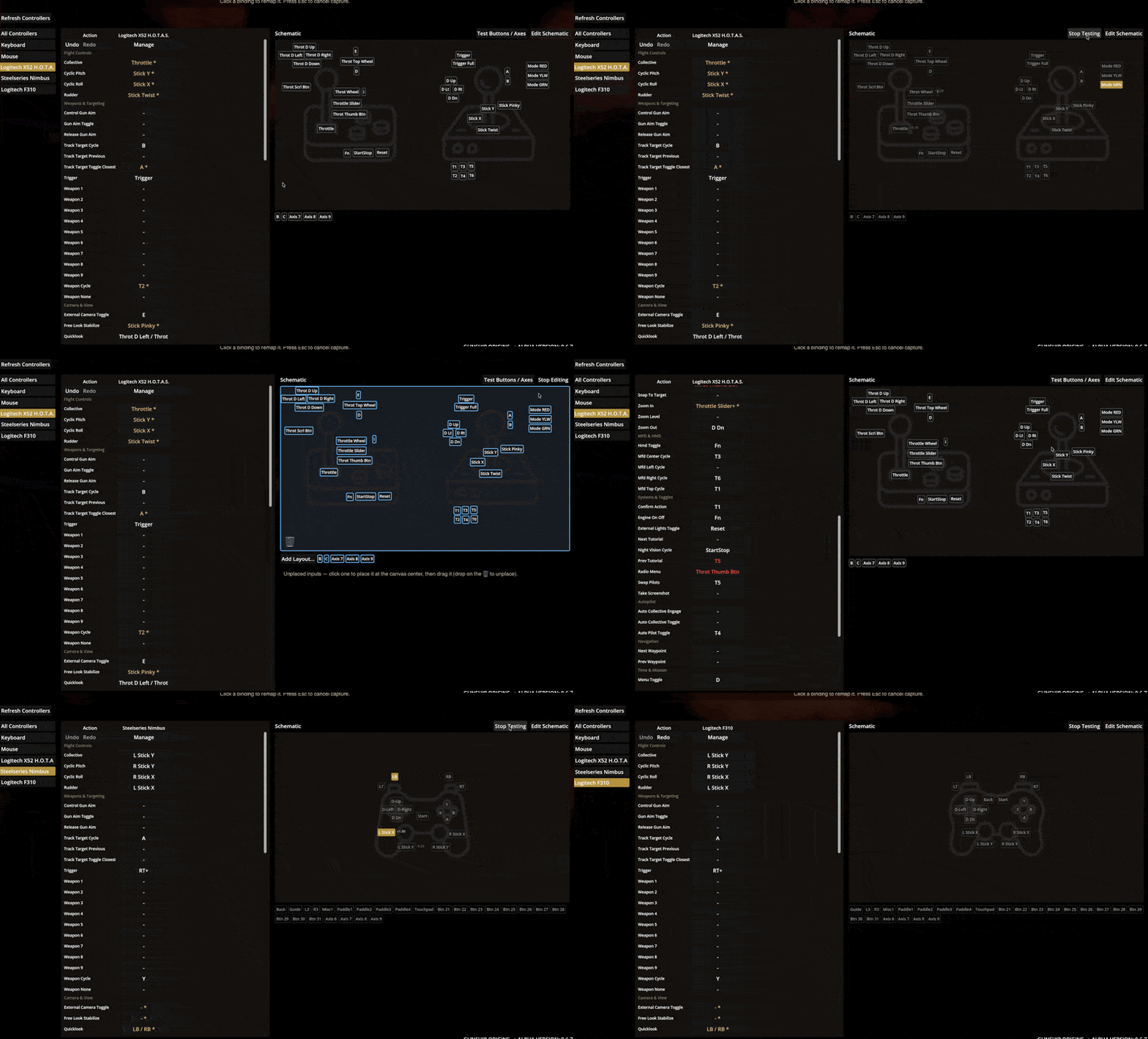
The quality of this GIF isn’t great, but it gives you a bit of a sneak peek into how this works and what you can do with it.
Let me know what you think on the Steam Community discussion!